
Reviews and feedback
Read current ratings and user reviews on the official Google Play listing, including critical feedback. We do not present generated testimonials or unverified star counts as customer reviews.
Read Google Play reviews
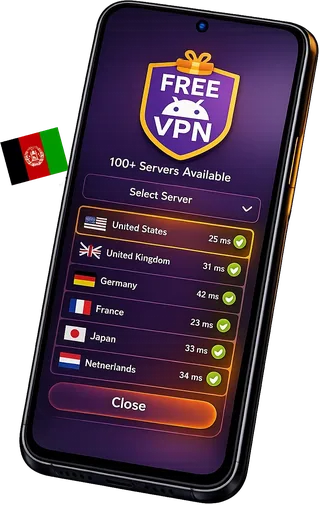
Use FreeAndroidVPN to choose a Afghanistan profile, connect with OpenVPN and check your exit IP. See current location labels and practical connection tips below.
The catalogue snapshot includes 1 enabled profiles labelled Afghanistan. Listed cities: Kabul. These are app labels, not an independent verification of physical hosting or successful traffic.
Updated:
The catalogue snapshot includes 1 enabled profiles labelled Afghanistan. Listed cities: Kabul. These are app labels, not an independent verification of physical hosting or successful traffic.
City names describe labels in the app's catalogue. Some profiles use virtual locations. Check the exit country with more than one IP lookup if the country matters for your task.
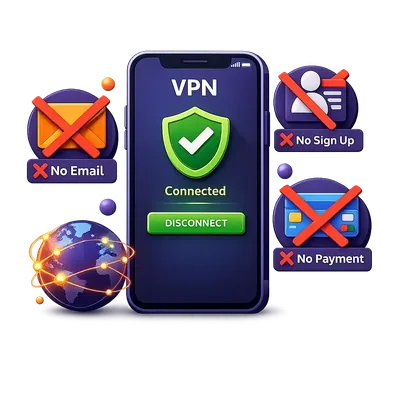
An email account is not required to connect in the app. Device identifiers still help restore balances, manage rewards and prevent abuse; no registration does not mean no data processing.
The app processes device identifiers, time and referral records, connection diagnostics and support information to operate the service. Advertising and Firebase services have their own data practices. Read the Privacy Policy and use the app's advertising privacy controls.
The app provides a daily VPN allowance. Optional rewarded videos, referrals and eligible in-app rewards can add time. Check your balance and the current reward terms in the app; installing it does not automatically give unlimited connection time.
Configured profiles are shown separately from working-tunnel checks. Availability can change after the snapshot; the app has the latest selection.
Locations, providers and profiles can change. Use the latest list in the app. A listed location is not a promise that a profile will connect on every network or that every website will accept its exit IP.
Speed and connection time depend on your network, server load and the route. Test a nearby location for everyday browsing. If traffic does not work, disconnect and try another listed profile.
The current app uses OpenVPN. Encryption and connection options depend on the selected server profile. The app does not currently offer WireGuard or IKEv2.
The app processes device identifiers, time and referral records, connection diagnostics and support information to operate the service. Advertising and Firebase services have their own data practices. Read the Privacy Policy and use the app's advertising privacy controls.
The app provides a daily VPN allowance. Optional rewarded videos, referrals and eligible in-app rewards can add time. Check your balance and the current reward terms in the app; installing it does not automatically give unlimited connection time.
Streaming services and other websites can restrict VPN exits. A successful VPN connection does not guarantee access to a particular service, catalogue or account. Follow the website's rules and check access yourself.
After connecting, open the IP-check tool and confirm that pages load. IP-geolocation databases can disagree about countries and cities. A city label alone does not prove where a server is physically hosted.
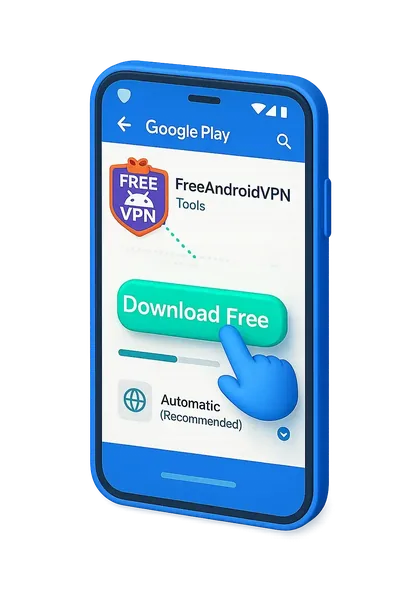
Check Android compatibility and install from Google Play or the official download page. Open the app and review any system VPN permission prompt.
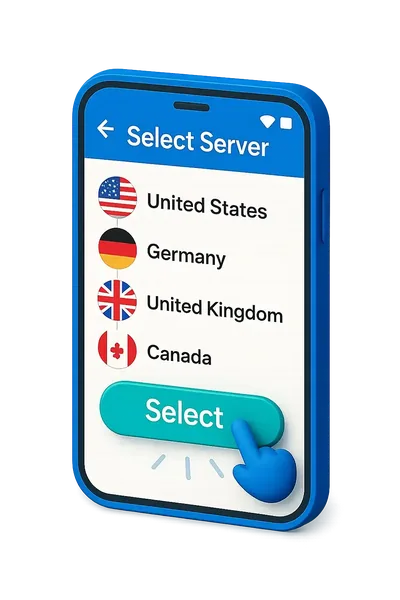
Open the server list and choose a listed profile. Wait for the connection result, then try loading a normal HTTPS website.
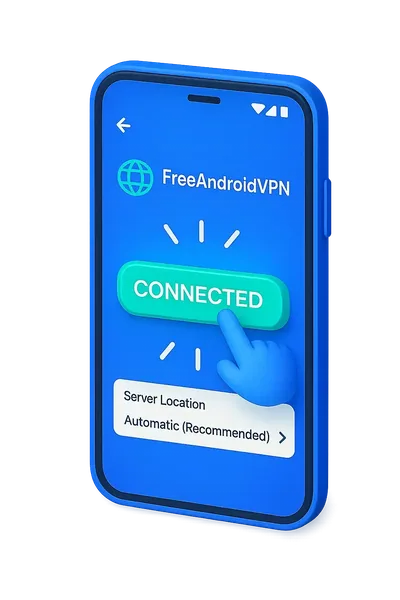
Check the exit IP and country. If the result is wrong or traffic stops, try another profile and repeat the check. A connected status alone is not proof of working internet traffic.
Configured profiles are shown separately from working-tunnel checks. Availability can change after the snapshot; the app has the latest selection.
Locations, providers and profiles can change. Use the latest list in the app. A listed location is not a promise that a profile will connect on every network or that every website will accept its exit IP.
Speed and connection time depend on your network, server load and the route. Test a nearby location for everyday browsing. If traffic does not work, disconnect and try another listed profile.
The current app uses OpenVPN. Encryption and connection options depend on the selected server profile. The app does not currently offer WireGuard or IKEv2.
The app processes device identifiers, time and referral records, connection diagnostics and support information to operate the service. Advertising and Firebase services have their own data practices. Read the Privacy Policy and use the app's advertising privacy controls.
The app provides a daily VPN allowance. Optional rewarded videos, referrals and eligible in-app rewards can add time. Check your balance and the current reward terms in the app; installing it does not automatically give unlimited connection time.
Streaming services and other websites can restrict VPN exits. A successful VPN connection does not guarantee access to a particular service, catalogue or account. Follow the website's rules and check access yourself.
Install the current version from Google Play. Check the published version and Android requirements on the store page.
The published release is FreeAndroidVPN 3.1.16 (41), supporting compatible Android 7.0+ ARM phones and tablets. Device and regional availability can vary. Google Play is recommended for automatic updates.
Update from Google Play without uninstalling to keep local app data. The store manages the signed release and automatic updates.
Configured profiles are shown separately from working-tunnel checks. Availability can change after the snapshot; the app has the latest selection.
| App fact | FreeAndroidVPN | What to check |
|---|---|---|
| OpenVPN connections | OpenVPN | The current app uses OpenVPN. Encryption and connection options depend on the selected server profile. The app does not currently offer WireGuard or IKEv2. |
| Daily VPN time | Daily time and eligible rewards | The app provides a daily VPN allowance. Optional rewarded videos, referrals and eligible in-app rewards can add time. Check your balance and the current reward terms in the app; installing it does not automatically give unlimited connection time. |
| Android 7 or later | Android 7.0+ | The published release is FreeAndroidVPN 3.1.16 (41), supporting compatible Android 7.0+ ARM phones and tablets. Device and regional availability can vary. Google Play is recommended for automatic updates. |
| Check current locations | Location labels in the app | Locations, providers and profiles can change. Use the latest list in the app. A listed location is not a promise that a profile will connect on every network or that every website will accept its exit IP. |
| Understand the privacy settings | See the Privacy Policy | The app processes device identifiers, time and referral records, connection diagnostics and support information to operate the service. Advertising and Firebase services have their own data practices. Read the Privacy Policy and use the app's advertising privacy controls. |
Read current ratings and user reviews on the official Google Play listing, including critical feedback. We do not present generated testimonials or unverified star counts as customer reviews.
Locations, providers and profiles can change. Use the latest list in the app. A listed location is not a promise that a profile will connect on every network or that every website will accept its exit IP.
Speed and connection time depend on your network, server load and the route. Test a nearby location for everyday browsing. If traffic does not work, disconnect and try another listed profile.
The current app uses OpenVPN. Encryption and connection options depend on the selected server profile. The app does not currently offer WireGuard or IKEv2.
The app processes device identifiers, time and referral records, connection diagnostics and support information to operate the service. Advertising and Firebase services have their own data practices. Read the Privacy Policy and use the app's advertising privacy controls.
The app provides a daily VPN allowance. Optional rewarded videos, referrals and eligible in-app rewards can add time. Check your balance and the current reward terms in the app; installing it does not automatically give unlimited connection time.
Streaming services and other websites can restrict VPN exits. A successful VPN connection does not guarantee access to a particular service, catalogue or account. Follow the website's rules and check access yourself.
If the app says connected but websites do not load, try another site, disconnect and reconnect, and choose another listed profile. Check Wi-Fi or mobile data without the VPN. If the problem continues, send a support report with the server label and app version; do not include passwords.
The catalogue snapshot includes 1 enabled profiles labelled Afghanistan. Listed cities: Kabul. These are app labels, not an independent verification of physical hosting or successful traffic.
Afghanistan's internet landscape has changed significantly in recent years. ISPs including AWCC, Afghan Telecom, and MTN Afghanistan operate under strict regulatory oversight. A VPN provides essential privacy protection for Afghan internet users and the Afghan diaspora seeking secure access to local content from abroad.
Afghanistan has a growing digital landscape with unique local content:
Afghan football has grown in popularity with the Afghan Premier League and international competitions. Matches broadcast regionally are often geo-restricted outside Afghanistan. Our Kabul server IP unlocks complete access to Afghan sports coverage and local commentary in Dari and Pashto.
Watch Tolo News and Ariana TV live with an Afghan IP. Geo-restricted Afghan news content becomes accessible worldwide.
Millions of Afghans abroad use VPNs to stay connected with homeland content. Our Kabul server keeps you connected.
Afghanistan International Bank, Azizi Bank, and Kabul Bank apps may flag foreign logins. Keep secure access with a Kabul server.
Our Kabul server connects to Afghanistan's main internet infrastructure, providing reliable connectivity to most Afghan services and excellent routing to neighboring countries including Pakistan, India, Iran, Uzbekistan, and Tajikistan. Afghan internet connectivity has expanded significantly with fiber optic links improving connection quality.
Paid VPNs charge $8-12/month for Afghan servers. FreeAndroidVPN provides identical access to all Afghan content completely free. Our Kabul server delivers the same streaming, privacy protection, and banking access as premium competitors.
Kabul, Kandahar, Herat
Tolo News, Ariana TV, 1TV, RTA, Shamshad TV
ISP monitoring - VPN recommended
~15 Mbps - Expanding mobile network
Tolo News Live, Ariana TV Online (geo-locked)
Afghan Afghani (AFN)
Install and update FreeAndroidVPN · Connected but no internet: what to check · Daily time, referrals and rewards · Choose a location and verify the IP
Install the current version from Google Play. Check the published version and Android requirements on the store page.