
Reviews and feedback
Read current ratings and user reviews on the official Google Play listing, including critical feedback. We do not present generated testimonials or unverified star counts as customer reviews.
Read Google Play reviews
Use FreeAndroidVPN to choose a Costa Rica profile, connect with OpenVPN and check your exit IP. See current location labels and practical connection tips below.
The catalogue snapshot includes 3 enabled profiles labelled Costa Rica. Listed cities: San Jose. These are app labels, not an independent verification of physical hosting or successful traffic.
Updated:
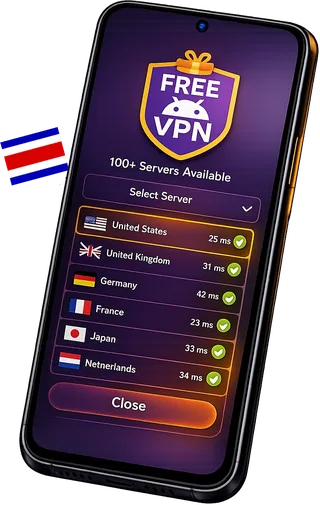
The catalogue snapshot includes 3 enabled profiles labelled Costa Rica. Listed cities: San Jose. These are app labels, not an independent verification of physical hosting or successful traffic.
City names describe labels in the app's catalogue. Some profiles use virtual locations. Check the exit country with more than one IP lookup if the country matters for your task.
An email account is not required to connect in the app. Device identifiers still help restore balances, manage rewards and prevent abuse; no registration does not mean no data processing.
The app processes device identifiers, time and referral records, connection diagnostics and support information to operate the service. Advertising and Firebase services have their own data practices. Read the Privacy Policy and use the app's advertising privacy controls.
The app provides a daily VPN allowance. Optional rewarded videos, referrals and eligible in-app rewards can add time. Check your balance and the current reward terms in the app; installing it does not automatically give unlimited connection time.
Configured profiles are shown separately from working-tunnel checks. Availability can change after the snapshot; the app has the latest selection.
Locations, providers and profiles can change. Use the latest list in the app. A listed location is not a promise that a profile will connect on every network or that every website will accept its exit IP.

Speed and connection time depend on your network, server load and the route. Test a nearby location for everyday browsing. If traffic does not work, disconnect and try another listed profile.
The current app uses OpenVPN. Encryption and connection options depend on the selected server profile. The app does not currently offer WireGuard or IKEv2.
The app processes device identifiers, time and referral records, connection diagnostics and support information to operate the service. Advertising and Firebase services have their own data practices. Read the Privacy Policy and use the app's advertising privacy controls.
The app provides a daily VPN allowance. Optional rewarded videos, referrals and eligible in-app rewards can add time. Check your balance and the current reward terms in the app; installing it does not automatically give unlimited connection time.
Streaming services and other websites can restrict VPN exits. A successful VPN connection does not guarantee access to a particular service, catalogue or account. Follow the website's rules and check access yourself.
After connecting, open the IP-check tool and confirm that pages load. IP-geolocation databases can disagree about countries and cities. A city label alone does not prove where a server is physically hosted.
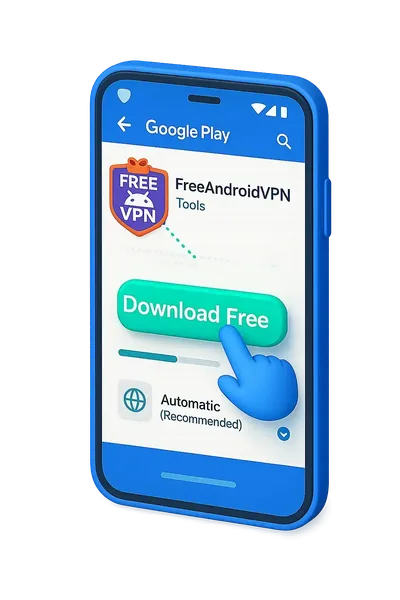
Check Android compatibility and install from Google Play or the official download page. Open the app and review any system VPN permission prompt.
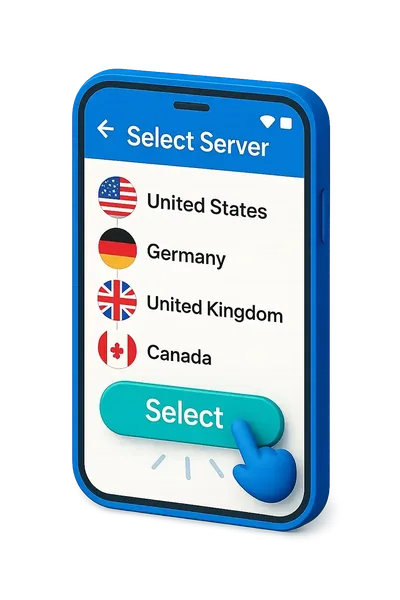
Open the server list and choose a listed profile. Wait for the connection result, then try loading a normal HTTPS website.
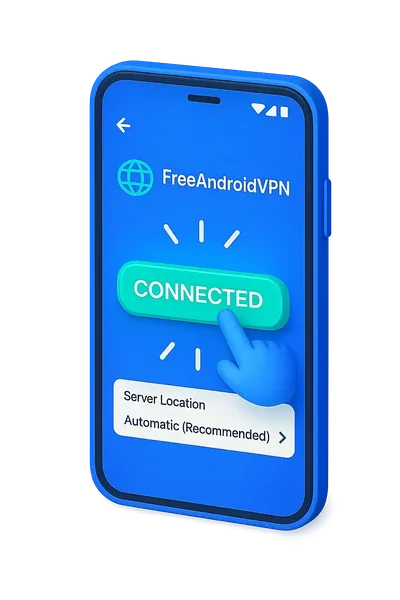
Check the exit IP and country. If the result is wrong or traffic stops, try another profile and repeat the check. A connected status alone is not proof of working internet traffic.
Configured profiles are shown separately from working-tunnel checks. Availability can change after the snapshot; the app has the latest selection.
Locations, providers and profiles can change. Use the latest list in the app. A listed location is not a promise that a profile will connect on every network or that every website will accept its exit IP.
Speed and connection time depend on your network, server load and the route. Test a nearby location for everyday browsing. If traffic does not work, disconnect and try another listed profile.
The current app uses OpenVPN. Encryption and connection options depend on the selected server profile. The app does not currently offer WireGuard or IKEv2.
The app processes device identifiers, time and referral records, connection diagnostics and support information to operate the service. Advertising and Firebase services have their own data practices. Read the Privacy Policy and use the app's advertising privacy controls.
The app provides a daily VPN allowance. Optional rewarded videos, referrals and eligible in-app rewards can add time. Check your balance and the current reward terms in the app; installing it does not automatically give unlimited connection time.
Streaming services and other websites can restrict VPN exits. A successful VPN connection does not guarantee access to a particular service, catalogue or account. Follow the website's rules and check access yourself.
Install the current version from Google Play. Check the published version and Android requirements on the store page.
The published release is FreeAndroidVPN 3.1.16 (41), supporting compatible Android 7.0+ ARM phones and tablets. Device and regional availability can vary. Google Play is recommended for automatic updates.
Update from Google Play without uninstalling to keep local app data. The store manages the signed release and automatic updates.
Configured profiles are shown separately from working-tunnel checks. Availability can change after the snapshot; the app has the latest selection.
| App fact | FreeAndroidVPN | What to check |
|---|---|---|
| OpenVPN connections | OpenVPN | The current app uses OpenVPN. Encryption and connection options depend on the selected server profile. The app does not currently offer WireGuard or IKEv2. |
| Daily VPN time | Daily time and eligible rewards | The app provides a daily VPN allowance. Optional rewarded videos, referrals and eligible in-app rewards can add time. Check your balance and the current reward terms in the app; installing it does not automatically give unlimited connection time. |
| Android 7 or later | Android 7.0+ | The published release is FreeAndroidVPN 3.1.16 (41), supporting compatible Android 7.0+ ARM phones and tablets. Device and regional availability can vary. Google Play is recommended for automatic updates. |
| Check current locations | Location labels in the app | Locations, providers and profiles can change. Use the latest list in the app. A listed location is not a promise that a profile will connect on every network or that every website will accept its exit IP. |
| Understand the privacy settings | See the Privacy Policy | The app processes device identifiers, time and referral records, connection diagnostics and support information to operate the service. Advertising and Firebase services have their own data practices. Read the Privacy Policy and use the app's advertising privacy controls. |
Read current ratings and user reviews on the official Google Play listing, including critical feedback. We do not present generated testimonials or unverified star counts as customer reviews.
Locations, providers and profiles can change. Use the latest list in the app. A listed location is not a promise that a profile will connect on every network or that every website will accept its exit IP.
Speed and connection time depend on your network, server load and the route. Test a nearby location for everyday browsing. If traffic does not work, disconnect and try another listed profile.
The current app uses OpenVPN. Encryption and connection options depend on the selected server profile. The app does not currently offer WireGuard or IKEv2.
The app processes device identifiers, time and referral records, connection diagnostics and support information to operate the service. Advertising and Firebase services have their own data practices. Read the Privacy Policy and use the app's advertising privacy controls.
The app provides a daily VPN allowance. Optional rewarded videos, referrals and eligible in-app rewards can add time. Check your balance and the current reward terms in the app; installing it does not automatically give unlimited connection time.
Streaming services and other websites can restrict VPN exits. A successful VPN connection does not guarantee access to a particular service, catalogue or account. Follow the website's rules and check access yourself.
If the app says connected but websites do not load, try another site, disconnect and reconnect, and choose another listed profile. Check Wi-Fi or mobile data without the VPN. If the problem continues, send a support report with the server label and app version; do not include passwords.
The catalogue snapshot includes 3 enabled profiles labelled Costa Rica. Listed cities: San Jose. These are app labels, not an independent verification of physical hosting or successful traffic.
Costa Rica has Central America's most developed internet infrastructure. ICE (Instituto Costarricense de Electricidad) provides the backbone through its Kolbi brand. Liberty and Claro offer competition. Costa Rica's commitment to net neutrality and its strong democratic tradition make it relatively free online. However, VPN usage has grown among an expanding digital nomad community seeking secure connections on shared networks.
Costa Rica's digital landscape reflects its eco-friendly, tourism-driven economy:
The Clásico Nacional between Deportivo Saprissa and Liga Deportiva Alajuelense is Central America's biggest derby. CS Herediano and LD Alajuelense add fierce competition in the Liga FPD. La Sele's incredible 2014 World Cup quarterfinal run captivated the nation. TD Más broadcasts Liga FPD matches with passionate Tico commentary — geo-restricted outside Costa Rica.
Watch Saprissa vs Liga Deportiva Alajuelense on TD Más with a Costa Rican IP — Central America's biggest rivalry.
Book Manuel Antonio, Arenal, and Monteverde tours at local CRC pricing through Costa Rican operators.
Use VPN on co-working and café Wi-Fi in Santa Teresa, Nosara, and San José for secure browsing.
Our San José server connects through Costa Rica's submarine cable infrastructure (ARCOS, Maya-1) with excellent routing to US, Mexican, Colombian, and Panama networks. Costa Rica's position as a Central American tech hub ensures reliable, low-latency connectivity.
Paid VPNs charge $8-12/month for Costa Rican servers. FreeAndroidVPN provides identical access to all Costa Rican content completely free. Our San José server delivers the same streaming, privacy protection, and banking access as premium competitors.
San José, Alajuela, Cartago
Teletica, Repretel, Trece
Top LATAM destination - secure Wi-Fi needed
55 Mbps (SUTEL 2026) - Strong fiber and 4G infrastructure
Clásico Nacional, La Sele, Liga FPD
Costa Rican Colón (CRC)
Install and update FreeAndroidVPN · Connected but no internet: what to check · Daily time, referrals and rewards · Choose a location and verify the IP
Install the current version from Google Play. Check the published version and Android requirements on the store page.